An inquiry for a custom-built machine lands in the inside sales team's inbox. In specialized machinery manufacturing, three to five days often pass before the quote goes out: inside sales waits for the calculation from engineering, pieces together line items from old quotes, formats everything by hand. The customer — by now used to fast response times — has long since inquired elsewhere. Here is how a quote assistant compresses that same process into a draft in minutes that a human only needs to review.
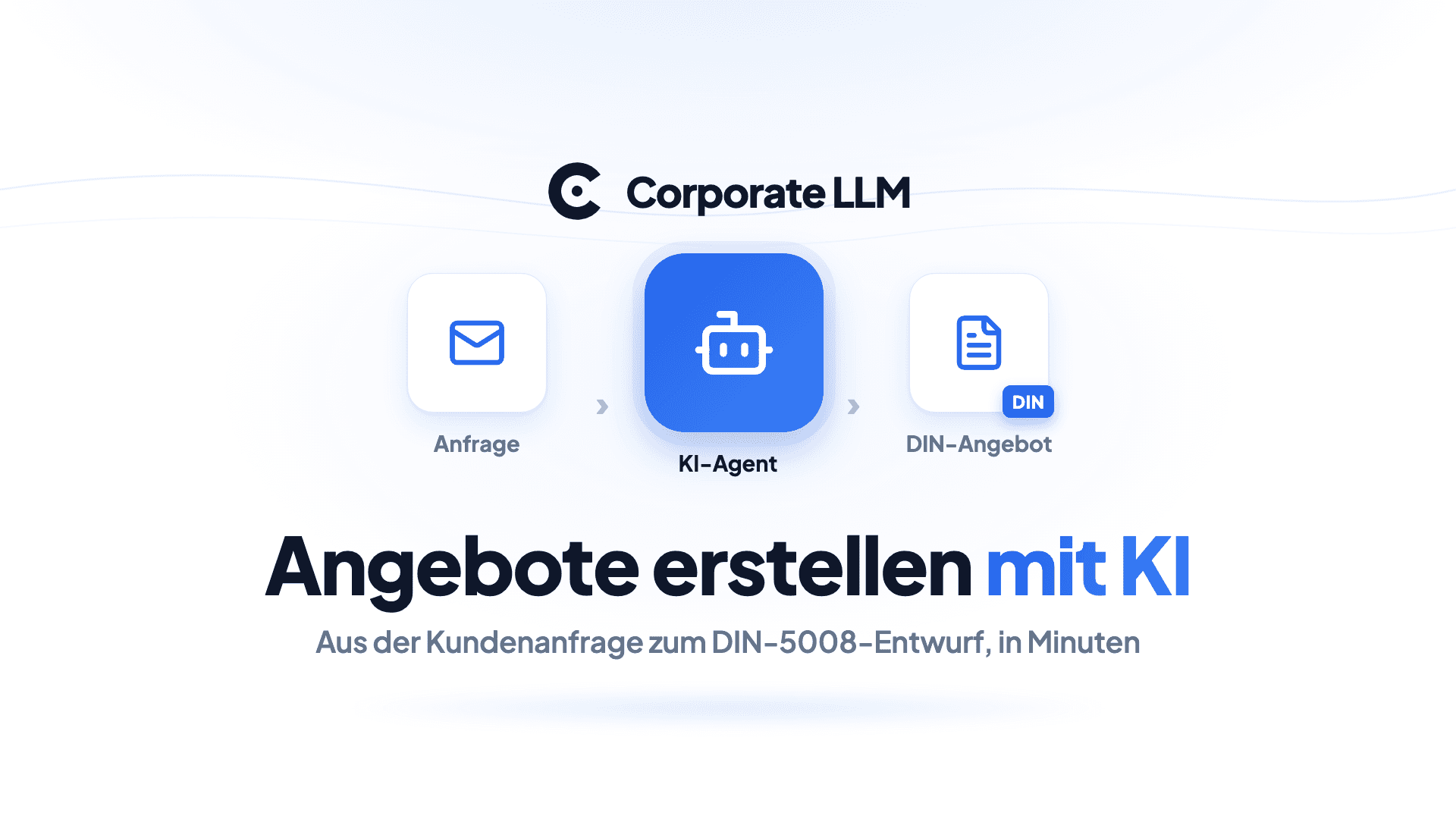
Overview: A quote assistant is an AI agent that turns a customer inquiry or email into a finished quote draft as a PDF. You store your price list and template once as knowledge. The agent reads the inquiry, calculates the line items, and produces a DIN 5008-compliant PDF with VAT and a quote number. A 3-to-5-day quote turnaround becomes a draft in minutes that a human reviews and approves.
| Who it's for | Specialized machinery manufacturers and any B2B SME that writes customer-specific quotes |
| Task | Generate a structured quote PDF from an inquiry or email |
| Used | Agent (Claude Opus) + knowledge base (price list, template) + PDF generation skill |
| Outcome | Quote draft in minutes instead of days, in a fixed structure, ready for human approval |
Why does quote creation in machinery manufacturing take 3 to 5 days?
In specialized and custom machinery manufacturing, every inquiry is different. Inside sales has to extract the customer, project scope, and line items from an often unstructured email, align the calculation with engineering, and turn the quote into a presentable document. Three to five days of turnaround per inquiry is the norm, not the exception.
The actual job is simple: get a solid, correctly calculated quote out the door fast. Reality looks different. The knowledge of which position carries which price, and what a good quote looks like, sits in the heads of a few experienced employees. When one of them retires, the knowledge retires too. And the customer who inquired with three vendors in parallel often awards the job to whoever puts a clean quote on the table first. Just how much speed decides is shown by a Harvard Business Review study on response times to inquiries: those who respond within an hour qualify the lead around seven times more often than those who respond an hour later.
Creating quotes with ChatGPT: why data protection kills this in B2B
Two reflexes are common, and both have a catch.
The first: quickly open ChatGPT.com and have it type up the quote. But that sends the customer name, project data, and your prices to US servers — without a data processing agreement and without EU hosting. According to OpenAI, content from private ChatGPT can be used to train its models; you have to actively opt out, unlike with the business tiers. For quote data containing prices and customer references, that is not an option in B2B.
The second: buying a specialized CAD-CPQ system that derives calculations from 3D models. That makes sense for series production, but it is heavyweight, expensive, and integration-intensive. If what you need is a tool for the text and email route, you are building a cannon to shoot sparrows. And if that prospect makes you change nothing at all, you stay stuck at 3 to 5 days.
Creating quotes with AI: how the quote assistant works as an agent
Between these two extremes lies the pragmatic route — and that is exactly what we built as an agent in Corporate LLM. The quote assistant runs on Claude Opus at temperature 0.3: precise enough for calculation, yet flexible in its wording. Its system prompt enforces a fixed sequence: analyze the input, extract the customer and project scope, ask targeted follow-up questions for missing details, structure the quote, output it as a PDF.
The quote structure is fixed in the prompt: a header with a quote number in the AG-YYYY-XXXX scheme, recipient, subject line, introduction, line items as a table with unit and total prices, a summary with net, 19 percent VAT, and gross amounts, then terms and closing. The agent doesn't pull prices out of thin air — it pulls them from the stored knowledge base.
The final step — the polished PDF — is handled by a dedicated skill: it produces DIN 5008-compliant documents with your company details and logo from the knowledge base. DIN 5008 is the German standard for the layout of business correspondence, so the quote looks like it came from your own template, not from a chat export.
Setting up an AI quote assistant: 4 steps in one afternoon
The effort is not in the tool but in the knowledge base. Set it up cleanly once, and the agent itself is standing in under an hour.
- Create the knowledge base. You store two things as knowledge: your price list with the common line items, and a quote template with company details, logo, and standard terms. This is the step that moves your quoting knowledge out of people's heads and into the system.
- Set up the agent. Custom agent, Claude Opus, temperature 0.3. The system prompt defines the workflow and the fixed quote structure and points to the knowledge base as the source for prices and the template.
- Attach the PDF skill. The PDF generation skill produces the DIN 5008 layout at the end, so the recipient gets a finished document, not raw text.
- Smoke test. Run two or three real inquiries from the past month through the agent. Check whether the line items are correct, the prices match the list, and the layout holds up. Fix whatever goes wrong in the knowledge base or the prompt — not in the individual quote.
Time to value: one afternoon. If you have several quote types, you build the templates once and use the agent for every inquiry from then on.
The result: from a 3-day quote process to a draft in minutes
Important context: the before values are the industry baseline from our conversations in machinery manufacturing; the after column describes what the agent delivers. The quote remains a draft that a human reviews and takes responsibility for. The AI produces the first version, not the sign-off.
| Metric | Before (manual) | With the quote assistant |
|---|---|---|
| Time to first draft | 3 to 5 days | Minutes |
| Structure and format | Patchwork, varies by person | Fixed structure per DIN 5008 |
| Calculation and VAT | Pieced together manually | From the knowledge base, 19 percent applied automatically |
| Quote number | Inconsistent | Fixed AG-YYYY-XXXX scheme |
| Traceability | Depends on the person | Chat history plus knowledge source |
The real win is not just speed. It is consistency: every quote follows the same structure and the same pricing logic, no matter who kicks it off. And the knowledge lives in the system instead of only in the head of your most experienced colleague.
Is creating quotes with AI GDPR-compliant?
Quote data contains customer names, project details, and your prices. Three points matter in an SME setup.
- EU hosting and a DPA. Corporate LLM runs on EU infrastructure, with model routing through an EU layer. Your requests never leave your account to enter model training. The data processing agreement required under Art. 28 GDPR is in German.
- Prices are trade secrets. Your price list lives in your account's knowledge base, not in a public model. That is the difference from the quick ChatGPT reflex, where your calculation walks out the door.
- A human approves. The agent creates the draft; sign-off stays with the person who signs. That is not just clean practice — it is also the right division of roles under employment law.
If you treat the quote assistant not as private ChatGPT but as a controlled building block, you get speed and data protection at the same time. For how such agents fit into a larger architecture, see the overview of the four routes to an LLM platform for the mid-market. The same construction pattern carries other tasks as well — for instance the CV screening agent built on the same principle.
Try the AI quote assistant for free: how to start
Take the last three inquiries that sat around longer than they should have. Those are your test case. Store your price list and template as knowledge, set up the agent, and run the three inquiries through it. By the same afternoon, you'll see whether the drafts hold up.
If you're still weighing the tool question, it's worth looking at the Microsoft Copilot alternative for SMEs before committing to a platform.
Try Corporate LLM directly: free on the Free plan, with EU hosting and a German-language DPA from day one.
Frequently asked questions
How do you create quotes with AI?
You store your price list, quote template, and company details once as knowledge and set up an agent that enforces a fixed quote structure. From then on, you forward a customer inquiry or email. The agent extracts the customer, project scope, and line items, calculates the positions from the stored price list, and generates a finished quote PDF. A human reviews the draft and approves it.
Do customer data and prices stay in the EU with an AI quote assistant?
With an EU-hosted platform like Corporate LLM, yes. Processing runs through an EU layer, the data processing agreement (DPA) is in German, and your requests do not flow into model training. That is the decisive difference from private ChatGPT, where customer inquiries and pricing data end up on US servers without a DPA.
Do I need a CAD or ERP integration for AI quotes?
Not for the text and email route. An agent with a price list and template stored as knowledge generates a PDF from the inquiry — no integration required. CAD-based calculation from 3D models is a separate, heavyweight special case for series production. For most SME quotes, the lean route via knowledge and template is enough.
How long does it take to set up a quote assistant?
One afternoon. The effort is not in the tool but in the knowledge base: storing the price list, quote template, and company details cleanly, once. You set up the agent in under an hour; the PDF part is a ready-made skill. After that, the assistant is ready for every new inquiry.